
LMS Smechatwolasma
  • Home
  • Calendar
  • Blog
  • Profile
  • Grade
  • More
Log in
LMS Smechatwolasma
Home Calendar Blog Profile Grade
Expand all Collapse all
  1. UKK TKJ 2026
  2. Perangkat (OSI L1)
  3. Server

Server

Completion requirements
Make a submission
Due: Monday, 2 February 2026, 12:00 AM
Instruksi

  1. Login ke server anda melalui ssh kemudian masuk ke akun root/superuser
  2. Gantilah hostname server anda dengan nama [nama]_[kelas][nomor].
  3. Buatlah user baru menggunakan perintah sudo adduser [nama], dimana nama adalah nama panggilan. Contoh : Alifian kelas TKJ 1 membuat username dengan perintah adduser alif
  4. Isikan IP pada interface ens[?] dengan alamat dhcp
  5. Restart server menggunakan perintah sudo systemctl reboot
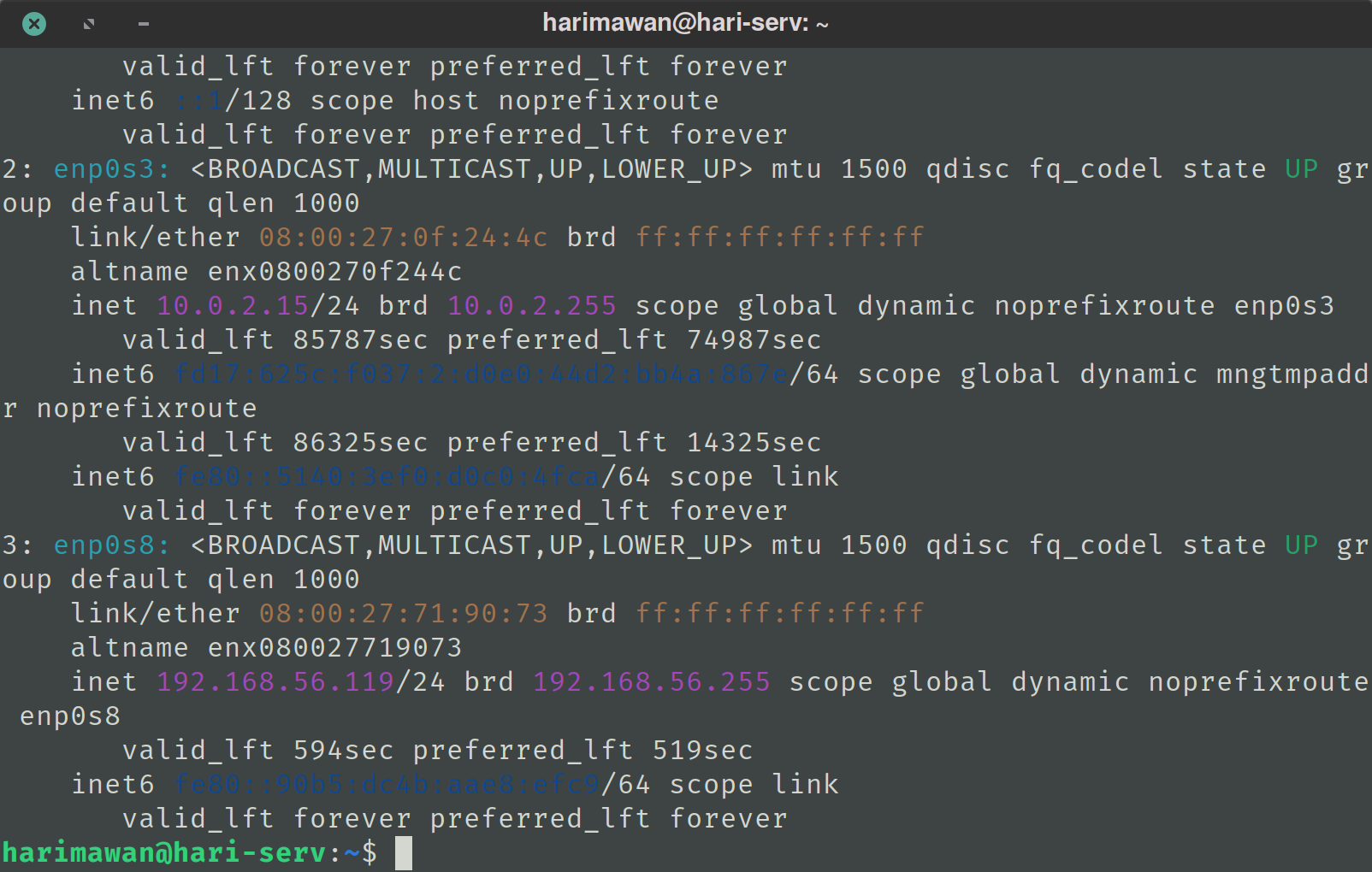
  6. Lakukan akses ulang ssh menggunakan username baru anda kemudian jalankan perintah ip address
  7. Unggah screenshot seperti pada contoh
  8. Ketentuan screenshot yang benar : layar console 80x25, hostname dan user sesuai, menampilkan alamat ip

Contoh
◄ Windows
You are currently using guest access (Log in)
Data retention summary
Get the mobile app
Powered by Moodle